
Launch a directory
in minutes
Have a business idea? Just describe it. The new Setup Assistant turns your idea into a fully configured site, ready to launch, attract users, grow your audience, and start making money.
AVAILABLE NOW FOR ALL ACTIVE LICENSES
See version 14.2 in motion
A short walkthrough of the redesigned theme, the new Type 2 widgets and the editorial fields your team now controls.
Watch the v14.2 Overview1 min · Product tour
A fresh, modern look from top to bottom
eDirectory has a fresh new face, with a cleaner, more polished look across cards, headers, footers, newsletters, sidebars, and more. The redesigned theme brings better spacing, stronger visual hierarchy, and a more cohesive experience, so every new site feels modern and professionally designed right from the start.
Search Box (Type 2)
A new search widget that makes it easier for visitors to find what they need. Add featured listing categories, customize the eyebrow text, and show popular searches right below the search form.
Browse by Location (Type 2)
Give visitors a better way to explore your directory by location. Choose between grouped or flat layouts, add listing counters, include a “See All” link, and customize each location group with a banner and additional places.
Editable Editorial Headers
Give your sections more personality with customizable eyebrow text and subtitles. Add them to section headers, cards, category and location widgets, event calendars, upcoming events, newsletters, and more.
See it on real sites
Swipe through the redesigned pages and open the live demo for each one.

Redesigned Home Page
New hero, Type 2 search box and restructured default seed on the refreshed theme.
Open Demo
Wedding Directory
A wedding vendor directory built on the v14.2 theme -escre venues, photographers and planners.
Open Demo
Restaurant Guide
A local dining guide built on the v14.2 theme — restaurants, bars and cafes organized by neighborhood and cuisine.
Open Demo
Travel & Tourism
A travel and tourism directory built on the v14.2 theme — destinations, attractions and experiences organized by region.
Open Demo
Doctors Directory
Healthcare provider directory with specialty filters, location search and profile cards.
Open Demo
Lawyer Guide
Legal services directory with practice area categories, editorial headers and location browsing.
Open Demo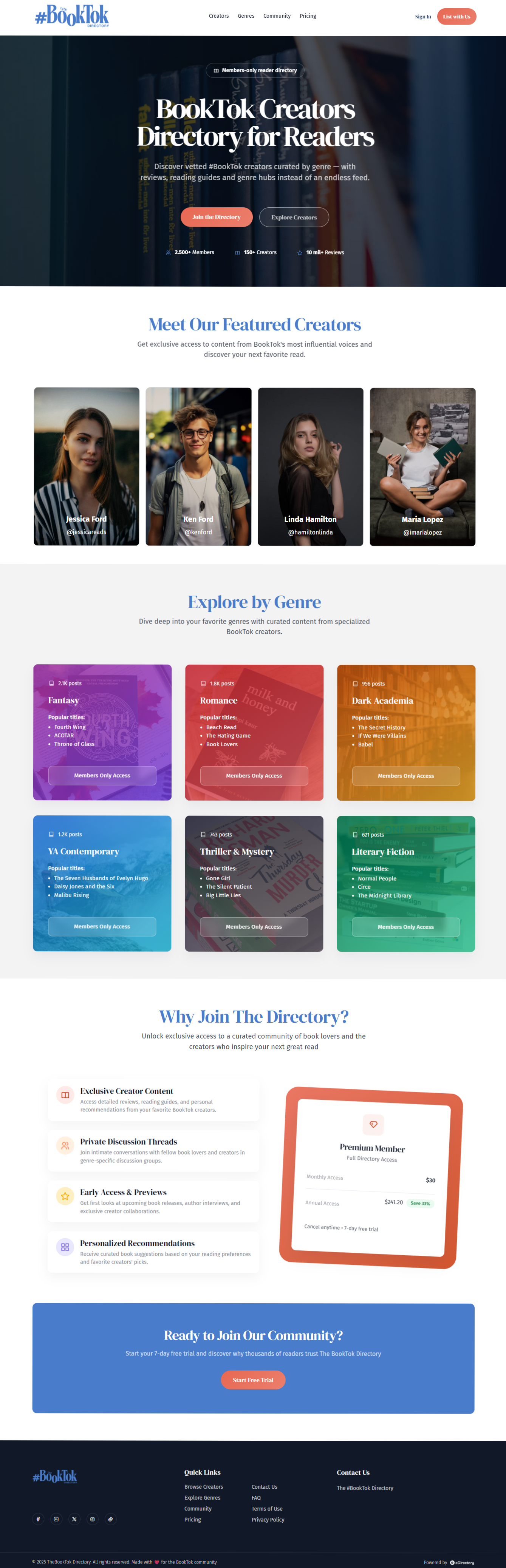
Membership Directory
Member-based directory with profile pages, category browsing and newsletter integration.
Open DemoeDirectory 14.2: Meet the new Setup Assistant
Your directory, built for you.
Just answer a few questions and the Setup Assistant turns your idea into a ready-to-publish directory. It sets up your brand, locations, categories, homepage widgets, and security settings, so you can go from idea to live site and start monetizing right away.
Brand
Logo, colors and typography mapped onto the new design tokens.
Locations
Location levels created and wired into Browse by Location.
Categories
Category tree generated, featured ones promoted automatically.
Home Page
Default home seeded with search box and editorial headers.
Security
Cloudflare Turnstile captcha enabled in a single step.
Publish
Final checks, then your directory goes live.
Key Benefits
- Step-by-step checklist with live progress tracking
- Seeds the restructured default home with your content
- Configures Type 2 search and location widgets inline
- Cloudflare Turnstile captcha set up in a single step
Launch a directory in one sitting
Follow a full setup end to end and see exactly what the assistant configures for you.
Watch the Setup Assistant Walkthrough1 min · Guided setup
The impact of 14.2
Built to launch faster and look better
A Theme That Converts
Refreshed design tokens, Inter typography, new cards, headers, footers, newsletter and sidebars, plus a compact sticky header on every page.
Faster Time to Launch
The restructured default home seed and the Setup Assistant take a brand new site from install to publish-ready in a guided flow.
More Control, Less Code
Editable eyebrows and subtitles across widgets let your team shape editorial copy directly in the Page Editor.
Everything new in version 14.2
Default Theme Redesign
New design tokens, Inter typography, refreshed cards, headers, footers, newsletter and sidebars, compact sticky header and a restructured default home seed.
Search Box (Type 2)
Multi-select featured listing categories in the Page Editor, rendered as Popular: tips under the search form, with an editable eyebrow field.
Browse by Location (Type 2)
Explore more places with grouped or flat mode, optional counters, See all link, banner sidebar and per-group expand or +N more.
Listing and Event Card Options
Site Manager can show summary, location, or both. Location uses the two deepest enabled levels; events render as {venue} · {locality}.
Cloudflare Turnstile
A new captcha provider with a per-provider help sidebar inside Site Manager.
Advanced Account Search
Search by email, name, company, phone, email verified, Stripe ID and last login. Filter by verified, newsletter, profile or traffic notification, plus Order by, a last login column and a Company label.
Category Search and Sorting
Search by title, status, featured, image or icon, SEO, usage and import source or batch, with Order by.
Support and documentation
Detailed articles and technical guides to help you implement version 14.2 and grow your business.
Theme Redesign Guide
Adopt the new tokens and layout blocks on an existing site.
Setup Assistant Walkthrough
Every step of the guided launch flow explained.
Search & Location Setup
Configure Type 2 widgets in the Page Editor.
Full Changelog
View every single improvement in version 14.2.
Upgrade to version 14.2
Activate the redesigned theme and the Setup Assistant, and give your directory a competitive edge today.
Request Update Now