
We’ve just released one of our biggest updates yet — eDirectory v14.2 is here!
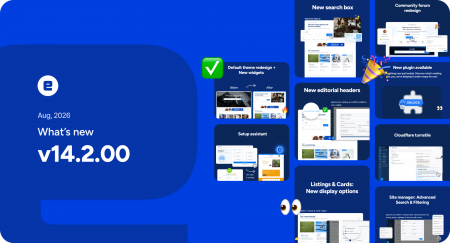
This version brings a completely refreshed experience across the platform, with a modern new design, powerful new widgets, more flexible content options, and our brand-new Setup Assistant to make getting started easier than ever.
Available now for all active licenses. Upgrade now! or Request a demo!
▶ Watch eDirectory 14.2 in action
What’s New in eDirectory v14.2:
A Completely Redesigned Platform
eDirectory has a fresh new look from top to bottom.
The default theme has been redesigned with a new visual language, including updated design tokens, Inter typography, redesigned cards, headers, footers, newsletters, sidebars, and a more compact sticky header.
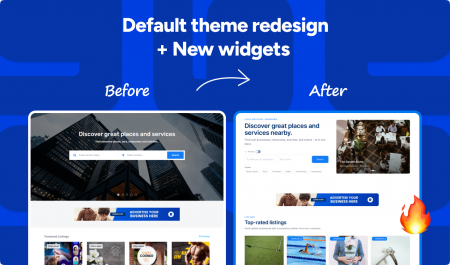
The default homepage structure has also been reworked to create a cleaner, more modern experience right from the start.
This means new eDirectory sites can look more polished and professional without requiring extensive customization.
New Search Box (Type 2)
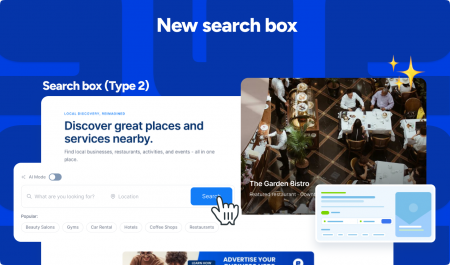
Make it easier for visitors to find exactly what they’re looking for.
The new Search Box (Type 2) widget gives you more ways to customize the search experience, including:
- Featured listing categories
- Customizable eyebrow text
- Popular searches displayed directly below the search form
Featured categories can be selected directly from the Page Editor, giving you more control over what visitors discover first.
Browse by Location (Type 2)
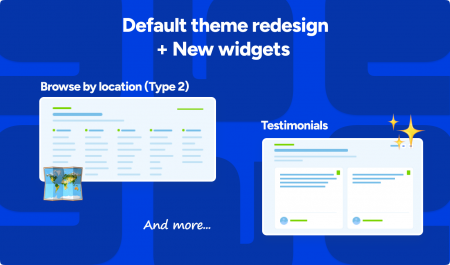
Give visitors a better way to explore your directory by location.
Editable Editorial Headers
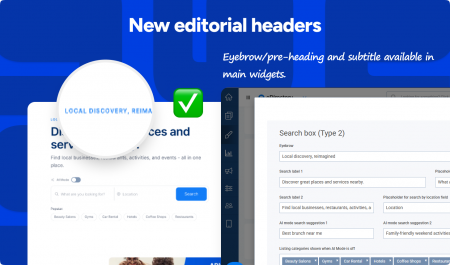
Give your pages more context and personality.
Create clearer sections and give each part of your directory its own visual identity.
New Listing & Event Card Options
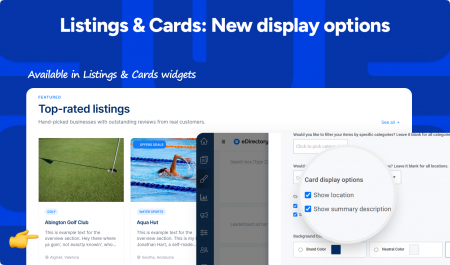
You now have more control over the information displayed in your cards.
Through Site Manager, you can choose whether listing and event cards show: Summary, Location, Summary + location.
For events, location information can also display the venue and locality, giving users more useful information at a glance.
Meet the New Setup Assistant
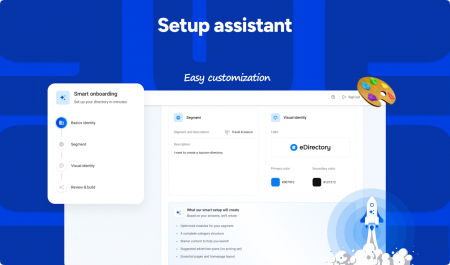
Getting your directory started just got much easier.
The new Setup Assistant uses AI to turn your idea into a fully configured directory.
▶ See the Setup Assistant in action
Simply describe what you want to create, and the Setup Assistant can help configure your brand, locations, categories, homepage, widgets, monetization, and security settings.
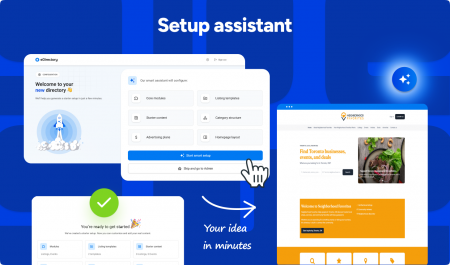
Go from an idea to a ready-to-publish directory with less setup and start building your directory business faster.
Community Forum Redesign
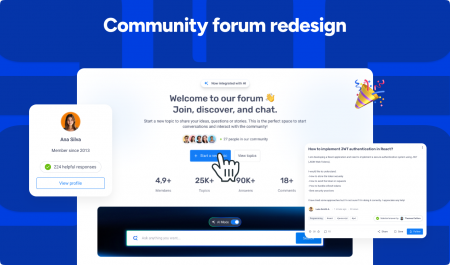
A new experience for your community.
The Community Forum has been completely redesigned with a more modern interface and improved layouts.
It’s now easier for users to participate in discussions, find information, and interact with your community — while giving directory owners a better foundation for building an active community around their site.
New Cloudflare Turnstile Support
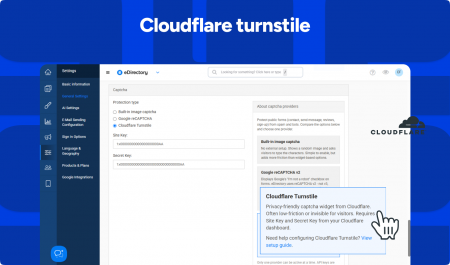
More flexibility for protecting your forms.
eDirectory now supports Cloudflare Turnstile as an alternative to Google reCAPTCHA.
You can select your preferred CAPTCHA provider and manage its configuration directly through Site Manager, helping protect your directory from spam and unwanted submissions.
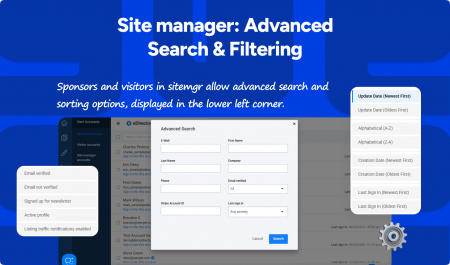
Advanced Account Search
Behind the Scenes Improvements
In addition to the new features, eDirectory v14.2 includes several improvements that make the platform more consistent, efficient, and reliable.
+ New Tabler Icons
Frontend icons have been migrated from Font Awesome to Tabler Icons, bringing a cleaner and more consistent visual experience across the platform.
+ Improved Upcoming Events
Upcoming Events now uses a native carousel, removing the dependency on Flickity.
The cards have also been redesigned, with navigation moved directly into the header for a cleaner experience.
+ Improved Navigation
Sign In and List With Us labels have been standardized for a more consistent experience across the platform.
Navigation restore alerts have also been improved to provide clearer messaging.
+ Better Import Handling & Translations
Import error handling and translations have been improved to make content management smoother and easier to troubleshoot.
Minor Fixes
This release also includes a wide range of fixes and improvements across the platform, these updates help deliver a smoother and more reliable experience across the entire platform.
View Full Changelog for eDirectory v14.2
More In-Depth Content About Version 14.2
- eDirectory 14.2 Release Overview
- eDirectory 14.2 Setup Assistant – How to use it
- Meet the new Search Box Widget
- How to enable Cloudflare Turnstile
- Meet the New Search Filter and Sorting options
Join Our Live Webinar
Want to see everything in action?
Join our upcoming live session where the eDirectory team will walk through the new features and show you what’s new in version 14.2.
Ready to Upgrade?
eDirectory v14.2 brings a completely new experience across the platform.
With a modern new design, powerful widgets, more flexible management tools, and the new Setup Assistant, this version makes it easier to build, customize, launch, and grow your directory.
It’s a fresh new look for eDirectory — and a simpler way to turn your next idea into a professional directory.
- Are you an existing eDirectory customer? Fill out the upgrade request form: Upgrade Now
- New to eDirectory? See what eDirectory 14.2 can do for your business: Request a Demo